
 English
 Magyar
COMPUTHERM Q15 Wi-Fi
Wi-Fi actuator
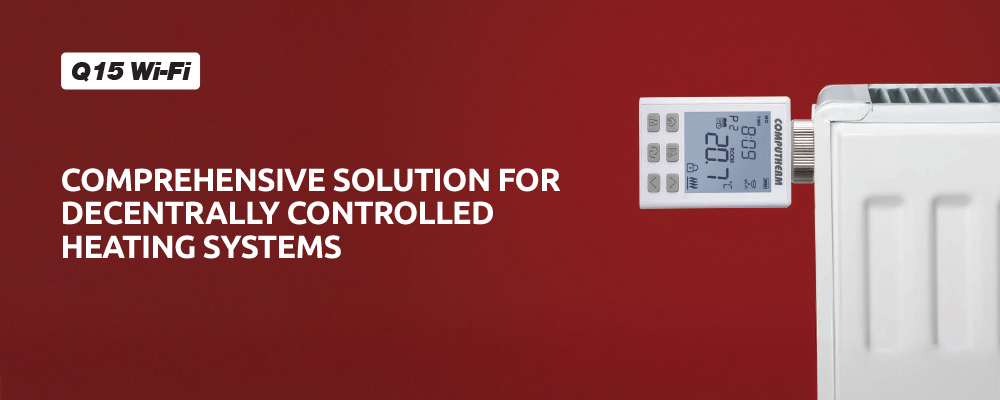
The COMPUTHERM Q15 Wi-Fi is a programmable motorised actuator designed to control radiator valves. When fitted to a radiator valve using the actuator’s flare nut (and the supplied adapters), it regulates the valve’s opening and closing. It is particularly recommended for locations (such as apartments with district heating or systems without individually controlled manifolds) where the heating device cannot be directly controlled but independent temperature regulation of the rooms is required, enhancing comfort and reducing energy costs. The actuator can be programmed to heat the room to desired temperatures at times selected by the user, contributing to comfort while helping to lower energy consumption
With the help of the product the heating system of your flat, house or holiday home can be made controllable from any place and at any time.
A theft-resistant securing ring, specifically designed for this purpose, prevents easy removal of the actuator from the radiator, thereby improving security and protection against vandalism.
Important functions:
- Remote control via the COMPUTHERM Smart application, as well as through Tuya / SmartLife, Amazon Alexa, and Google Home systems.
- For each day, beside 1 fixed switching time, 10 freely adjustable switching times can be set, and a different temperature and humidity can be assigned to every switching time.
- Ability to switch between programmed and manual modes.
- Easy switching between economy and comfort modes.
- Three options for temporarily overriding the programmed temperature.
- Selectable switching sensitivity.
- Calibration of internal thermometer
- Keylock to prevent unauthorized adjustments.
- Valve protection function to prevent the radiator valve from jamming.
- Adjustable display backlight intensity.
- Theft-resistant securing ring.
Technical data:
- Temperature measurement range: 0 to 45 °C (in 0.1 °C increments) / 32 to 100 °F (in 0.1 °F increments)
- Adjustable temperature range: 5 to 45 °C (in 0.5 °C increments) / 41 to 97 °F (in 0.5 °F increments)
- Temperature measurement accuracy: ±0.5 °C / ±0.9 °F
- Temperature calibration range: ±3 °C (in 0.1 °C increments) / ±6 °F (in 0.1 °F increments)
- Selectable switching sensitivity: ±0.1 °C – ±1.0 °C / ±0.2 °F – ±2.0 °F
- Battery voltage: 3 × 1.5 V AA alkaline batteries (LR6)
- Protection against environmental impacts: IP30
- Operating frequency: Wi-Fi (b/g/n) 2,4 GHz
- Dimensions of the flare nut: M30 × 1.5 mm (with six additional adapters: Danfoss RA; Danfoss RAV; Danfoss RAVL; Caleffi; Giacomini; M28 × 1.5 mm)
- Maximum stroke: 7 mm
- Opening/closing time: max. 25 s
- Opening force: 78–166 N


To control this product Download the the COMPUTHERM Smart app for free from here:


 Visit for helpful videos
and subscribe to the YouTube channel!
- What is the COMPUTHERM Q15 Wi-Fi actuator used for?
-
The COMPUTHERM Q15 Wi-Fi is a programmable motorised actuator designed for controlling radiator valves. When mounted on a radiator valve using its flare nut (and the supplied adapters), it regulates the valve’s opening and closing. It is particularly recommended in applications where the heating appliance cannot be directly controlled, yet individual room temperature regulation is required - thus increasing comfort and reducing energy costs (e.g. district-heated apartments or homes without a manifold that can be controlled via per-circuit actuators).
-
Where should the actuator be installed?
-
The COMPUTHERM Q15 Wi-Fi actuator should be mounted on the valve of the radiator to be controlled (using the supplied adapters if necessary), in a location protected from moisture, dust, and chemical exposure.
-
Does the actuator require a 230 V mains power supply?
-
No. The actuator operates on 3 × 1.5 V AA alkaline batteries (LR6).
- What should I do if I believe the actuator’s temperature sensor is not accurate?
-
To adjust the temperature measurement, enter the actuator’s settings menu by pressing the button for 2 seconds. The display will then show the time continuously, and the current day abbreviation (e.g. MO for Monday, TU for Tuesday, WE for Wednesday, etc.) will flash.
Use the and buttons to modify the current setting, and press the SET button to move to the next parameter. The active setting being modified will flash on the display.
After setting the correct day and time, you can access further configuration options, including temperature calibration, labelled CAL. Once you have adjusted the value, press the button again to save and exit the settings menu.The displayed temperature can be adjusted by up to ±3.0 °C / ±6.0 °F relative to the temperature measured by the sensor, in increments of 0.1 °C / 0.1 °F.
-
Where can the product be purchased?
-
The product is available through our reseller partners and can also be purchased from several online stores.
- Where can the user manual be found?
-
Installing and operating instructions for the Q15 Wi-Fi actuator are available at the following website:
- How can the device be reset to factory settings?
-
To restore the actuator to its factory default settings, go to the “RESET” function in the settings menu, select the “RES” option, and press the
 button to confirm. This will restore all actuator settings - including Wi-Fi configuration - to factory defaults.
You can also reset the device from within the app’s settings menu; this method restores the actuator’s parameters without disconnecting it from the Wi-Fi network, so re-pairing is not required. - What should you do if your Wi-Fi router’s signal is weak and the Q15 Wi-Fi is out of range?
-
If possible, move your router closer to the Q15 Wi-Fi device. Alternatively, you can place a Wi-Fi signal extender (repeater) between the router and the Q15 Wi-Fi actuator to increase the effective range of the router’s signal.
- What should you do if you experience problems with the Wi-Fi connection?
-
If the device cannot be controlled via the Internet—meaning the app displays the message “Device unavailable” and the actuator does not respond to commands—communication between the product and the online control interface has been interrupted.
This can have several causes, but the most common issue is related to the Wi-Fi router. It is recommended to restart the router by turning off its power supply and then turning it back on. In most cases, this resolves the problem.If, after a few minutes, the device is still unavailable, try reconnecting the product to the Wi-Fi network according to the steps described in the user manual.
If the connection is successful but the device remains inaccessible, reset the router to factory settings, as custom configurations may be preventing Internet access.While the actuator is unavailable online, it can still be operated manually using the buttons on the device.
- What should you do if the actuator is accessible locally via Wi-Fi but not remotely (from another Wi-Fi or mobile network)?
-
In such cases, some settings on the service provider’s router may need to be adjusted, as certain configurations can block inbound or outbound communication. Common causes include:
Firewall or security level settings:
The default or customized security level may be too high. Try reducing it slightly and attempt to reconnect.NAT network (Carrier-grade NAT):
Some Internet providers assign a shared public IP address to multiple subscribers. This setup limits inbound connections from the Internet to your local network. Disabling carrier-grade NAT (if supported by your provider) can resolve the issue.These adjustments can be made through your router’s local configuration interface.
To access it, use the HTTPS address printed on the router’s label, log in with the Admin username and password shown there, and modify the relevant settings.
If you are unsure how to proceed, contact your Internet service provider’s customer support via phone or email for assistance. - How does the device operate after battery replacement?
-
The device cannot function without power, but it retains its settings in memory.
After power is restored (new batteries inserted) and the correct time and date are set (if automatic time setting is disabled), the actuator resumes operation according to the previously stored configuration and mode.If the device is used in an environment where power interruptions are frequent, it is recommended to regularly check the actuator’s proper operation for safety and reliability.